Powered by Microsoft Copilot
Managed Copilot
Most businesses are paying for Copilot licenses and barely scratching the surface. We configure it properly across Word, Excel, Outlook, Teams, and SharePoint, train your team to actually use it, and build custom Copilot agents that automate your work and we’re always available for ongoing support.
Why Perth businesses are choosing Copilot
It lives inside your existing tools
Your team already works in Microsoft 365 every day. Copilot meets them where they are, inside Word, Excel, Outlook, and Teams. No new software to learn, no context switching.
Enterprise security built in
Copilot runs through your existing Microsoft tenant. Your IT team manages it through the same admin centre they already use. Data stays within your Microsoft environment and respects your existing permissions.
Organisational intelligence
Copilot connects to your company’s emails, documents, meetings, and SharePoint through Microsoft Graph. It doesn’t just generate content. It generates content that knows your business.

We start with a free consultation
A conversation with our AI engineers to understand how your team uses Microsoft 365 today, where the gaps are, and what a proper Copilot rollout looks like for your business.

Quick wins
We identify the highest-impact opportunities to focus on during your setup day.

Current setup
We learn where your team is at and what software and AI tools they are already using.

Right fit
We’ll tell you honestly whether a Copilot transformation is the right move, or if another service is a better starting point.
Setup Day
Our Perth-based engineers spend a full day with your team configuring Copilot across your Microsoft environment and training your people on how to actually use it. Every setup is tailored to how your business works.
A setup day may include:
✓ Tenant-level Copilot configuration and licensing setup
✓ SharePoint knowledge bases so Copilot can reference your company documents
✓ Custom Copilot agents built in Copilot Studio for repeatable workflows
✓ Outlook, Word, and Excel workflow training with your actual files
✓ Teams meeting intelligence setup (summaries, action items, recaps)
✓ Hands-on team training across departments

The setup is the first step.
Once Copilot is configured and your team is trained, these are the kinds of capabilities your business can start using immediately and build on over time.
Custom Copilot Agents
Purpose-built agents created in Copilot Studio that handle repeatable tasks, answer internal questions from your company data, or run multi-step workflows without your team lifting a finger.
Microsoft Graph Connectors
Connect Copilot to your internal systems, databases, and third-party tools so it can pull real information from across your business, not just what’s sitting in SharePoint.
Workflow Automation
Copilot paired with Power Automate to handle approvals, notifications, data entry, reporting, and the repetitive admin work your team is doing manually today.
Teams Intelligence
Meeting summaries, action item tracking, conversation recaps, and follow-up drafting. Every meeting your team runs through Teams gets more useful.
Document Generation
Drafting proposals in Word, building reports in Excel, creating presentations in PowerPoint, all informed by your company data and formatted the way your business actually does things.
Knowledge & Search
Turn your SharePoint, OneDrive, and internal documentation into a searchable knowledge base your team can query in natural language instead of digging through folders.
Ongoing support that grows with you
Support is completely optional. If you want to keep working together after your setup day, we become your long term partner for AI Transformation and stay with you. Every support arrangement can include the below, and we tailor the frequency and intensity to what your business actually needs. We’ll help you figure out the right fit at the end of your setup day.
Possible inclusions in support arrangements…
AI Sessions
Regular 1-2 hour sessions with an AI expert from our team.
Stay Current
We keep you updated on what’s new with Copilot as the platform evolves.
Support Channel
A direct Slack or Teams channel. Ask us anything, anytime including new project scoping.
IT Coordination
We coordinate directly with your IT team on permissions, security, setup and any ongoing issues you may face.
Need extra hands-on help beyond your sessions? Book in extra days of effort with us anytime, for anything you need.
Ready to start your Copilot Transformation?
Talk to our Perth-based AI engineers about getting real value from your Microsoft Copilot licenses. We’ll walk through your current setup, identify the quick wins, and map out what a proper rollout looks like for your business.























Practical results
delivered for Perth
businesses
We work directly with teams across WA to solve specific operational challenges with clear, effective artificial intelligence solutions.
See how our work has helped local teams move faster, reduce manual bottlenecks, and improve accuracy with measurable results.

SettleIQ: Extending an AI Conveyancing Chatbot to Automatically Review Sale-of-Land Contracts
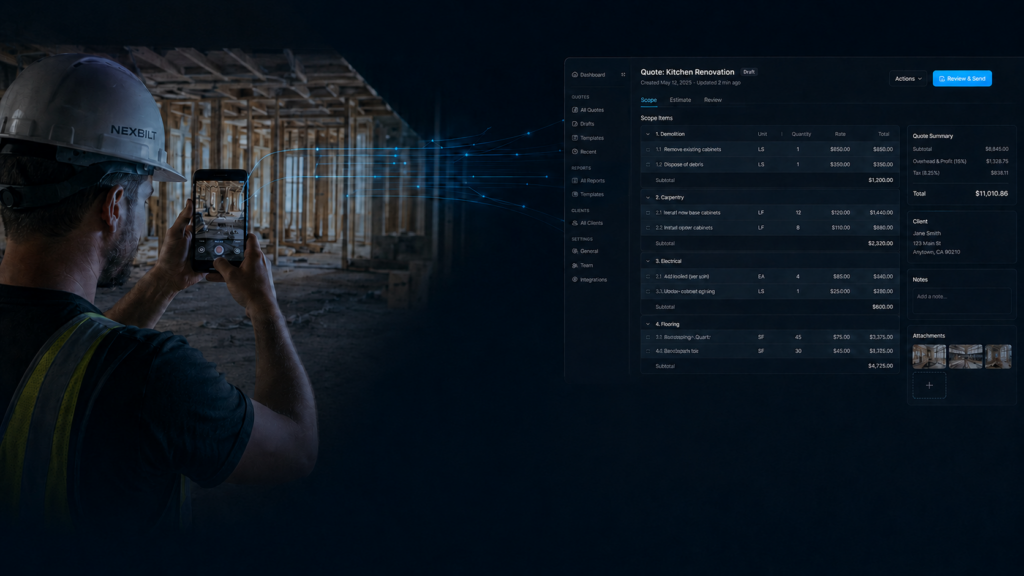
NexBilt: Turning 40 Hours of Quoting Work Into 1–3 Hours for Trades and Property Managers

Fortescue: Scaling AI Across Autonomous Mining Operations – From Pilot to Production

Questions we get asked
What if our team has never used Copilot before?
That’s exactly what the setup day is for. We configure everything, then train your team hands-on with their actual files and workflows. Most teams are using it confidently by the end of the day.
Do we need to commit to ongoing support?
No. The setup day delivers a fully configured Copilot environment your team can use independently. Ongoing support is available for businesses that want to keep building and stay current as Microsoft ships updates.

How is this different from a Microsoft partner?
Microsoft partners handle licensing and technical deployment. We go further. We build custom agents, train your team, and configure Copilot around how your business actually operates, not just turn it on.

Can you work with our IT team or MSP on security?
Absolutely. We work within your existing Microsoft tenant and coordinate with your IT team on permissions, data access, and security policies. Nothing changes about how your environment is managed.

What if we're not sure which platform to choose?
Start with a free consultation. We’ll assess your current tools, your team’s workflows, and what you’re trying to achieve, then recommend the right platform for your business.
Start your Copilot Transformation
Not sure where to start? Have a conversation with our team. We’ll talk through your current Microsoft setup, what’s possible with Copilot, and whether it’s the right fit for your business.